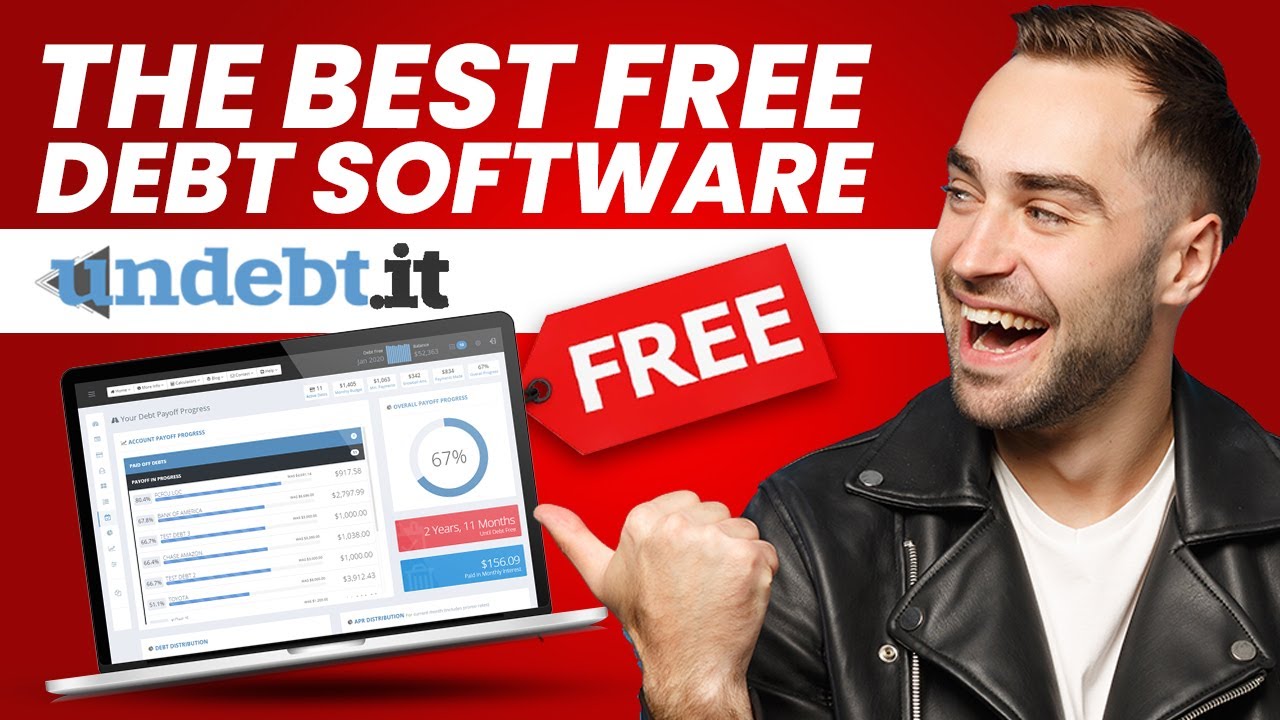
Undebt It REVIEW | The Best FREE Debt Management Software?!?

it's not easy to get out of debt it can be difficult to keep up with monthly expenses and save for a rainy day let alone pay the minimum monthly payments on your credit card fortunately there's a site for that allow me to introduce you to undead undead it debuted in 2012 as a free mobile friendly debt snowball calculator over 121 000 people are currently using undead it to pay off 8.8 billion dollars in debt according to undead its creator jeff donaldson the site is the outcome of my desire to use a single tool to perform the work rather than many mobile apps and spreadsheets in today's video we're going to talk about undead it we're going to discuss what undeada is what the site offers and why it's one of the best free debt management software is available check my link in the description if you're interested in trying undead it for yourself if you like this kind of content subscribe to our channel click the like button and watch this video to the end what is undead undeada is a free debt reduction tool that assists you in keeping track of your progress and goals during your debt reduction plan the website's actual url is on debt.it which is where the moniker comes from the program helps you get out of debt quickly by building the appropriate plan tailored for you by adopting a suitable budget and holding yourself accountable it's a flexible program with several debt reduction options that you customize to your unique needs what i like best about undead it is its capability to build the ideal plan for you based on your personality type many of you may be familiar with dave ramsey's debt snowball method of debt reduction the debt snowball approach paying off your bills one by one lowest sums first is the most popular debt payback strategy that consumers adopt and that app can integrate this method however if you have a more quantitative and systematic mind like mine you may also use this program to choose the debt avalanche paying off your debts one by one highest interest rate first strategy which is the favor of many more mathematical types of people undead it's repayment option one of the most compelling reasons to select undead it is seven distinct repayment options these strategies are offered in a free version which works well for the majority of people on the path to debt independence as well as the premium version a few debt reduction products include seven different payment options many include popular debt reduction measures such as the debt snowball or debt avalanche but many do not provide the advanced approaches that we're going to talk about each option requires you to make the minimum monthly payment while focusing on your additional debt budget on a single obligation here's a quick overview of the different undead it payoff method you can select one of the following methods number one the debt snowball the debt snowball is possibly the most well-known debt repayment technique pays off your lowest balance first but in short it's a terrific strategy for reviving that sense of momentum as you close additional debts it's also the most widely used approach on undead number two the debt avalanche the debt avalanche starts with the highest interest rate and works its way down this technique has the potential to save you the most money and is the second most popular honor number three hybrid method debt to interest ratio the debt hybrid strategy combines the greatest elements of the debt snowball and that avalanche by paying off smaller balances you'll be able to combat high interest rates while keeping momentum number four the most expensive monthly payment paying off the biggest monthly payment may be the most effective approach to have more money each month number five the highest credit utilization rate do you want to improve your credit paying off your debts with the greatest credit utilization rate can help you can measure your progress by tracking your credit score using your free credit score app number six the highest monthly interest payment this technique like your debt avalanche pays off your debt with the greatest interest cost each month instead of the highest interest rate apr the tool considers the real dollar amount of input number seven the custom plan you can change the order of the payoffs by selecting lowest number first or highest number once you've established a debt payment pattern creating a bespoke plan that is a better fit for your financial position can be beneficial at first the huge array of options may appear to be overwhelming undead it on the other hand includes a comparison tool that shows you your overall debt cost and debt free date this simplifies things and can be eye-opening how undead it works endemic's tools are simple to use there's an easy mode view that makes it easy to set up and operate the easy mode display functions similarly to a debt payoff wizard allowing you to see and interact with everything in one once you set up your account and entered your debt information it will generate a plan for you based on the approach you select this monthly payback plan specifies how much money you should transfer to each debt account each month with a click of the download snowball table button you can export your preferred plan to an excel file alternatively you may utilize the dashboard to follow your progress and make changes in any case it works from any place you have an internet access and a browser is there an app or a link to your accounts on undead it undead it does not have a mobile app but the website is mobile friendly and simple to use on a phone or desktop in other words it's a web app that is you don't need anything extra to use it also has no connection to any of your bank this implies you won't be able to connect your account like mint you must instead manually enter your payments and transactions however this can be a beneficial thing if you're concerned about your bank accounts becoming vulnerable to malicious users hacking third-party websites you won't have to worry about that debt snowflakes is a useful feature in the debt payment track undead it's debt snowflake undead it allows you to vary the amount of your monthly debt payment to change up your payback plan you may receive a one-time cash windfall such as a tax return from time to time you can record things like that as an extra monthly payment using the debt snowflake tool when you make additional one-time payments you can add debt snowflakes you can also build negative snowflakes to notify the tool that you need to skip a monthly debt payment for example perhaps you need the money for a financial emergency instead and then it also contains graphs and charts that allows you to view your credit usage ratio interest rate and interest charges by specific account they make it simple to see where you stand based on information you provided undead it's price it doesn't matter how amazing a program is if it costs an arm and a leg to pay for it so many people promise debt relief advice programs only to slap you with a huge monthly bill that really puts you further in the debt there is a free version of undead it that may be all you require you can surely get out of debt with the free version this isn't one of those bait and switch programs where you get halfway through and then you have to pay them 100 a month there's no fine print here guys the site is available in two pricing models free and premium free edition is completely free while the premium version costs only 12 per year the free version of undead it allows users to add unlimited debt accounts use the debt snowball or debt avalanche export your plan to excel and add promotional interest compare debt payoff plans and create a customized payoff plan if you primarily want to utilize or evaluate one of the seven repayment options the free plan is ideal pros of the free version include seven debt repayment strategies are available for free you can personalize your debt repayment plan and track unlimited number of debt accounts website that is mobile friendly customer service which includes youtube videos faqs and a startup guide cons of undead it are each monthly payment must be entered manually there are some internet advertisements on the free core plan payment reminders are only available with the premium undead it plus plan unless you use the premium plan and sync with ynab you need a budget there are no monthly budget tools undent.it unfortunately does not offer a mobile app the web page on the other hand has been optimized for web browser the premium subscription of undead it includes everything offered in the free tier and various integrations that the free tier does not offer the following features are only available in the premium version using drag and drop custom debt make 52 week saving strategy for build control debt destroyer payment reminders through text message email summary for the month account tracking and forecast table of individual amortization auto bill payment payment planner on a calendar account consolidation in advance removes website advertisement automatic monthly adjustments integration of a mobile calendar debt repayment tails integration with widen debt.it premium is extremely reasonable at twelve dollars per year or one dollar each month i would absolutely recommend paying for the service just to be rid of the ads but if you're on the fence the premium version has a 30-day trial period before you're committed to paying the annual charge who should use undead it indebt.it is ideal for folks who wish to utilize the debt payment man but need assistance in creating a plan other debt payment plans may be worthwhile to pursue if they are a better fit for your aims for example you could want to see how quickly you can pay off your greatest monthly payment in order to significantly lower your monthly undead it is free but offers many resources making it a cost effective and efficient use of your time if you like what you've seen and heard use my link in the description if you're interested in trying undead it for yourself if you enjoyed this video then check out these videos on your screen that i've selected just for you thanks for watching and i'll see you in the next

As found on YouTube

Undebt it Review – FREE Debt Management Software – Pay Your Debts Faster

if you need a free debt management
software then this video is for you hey it's Hoz here with another great
tool to share with you and this one is a free debt management tool. It is in fact
the free tool that gets you out of debt because it says so on the screen. But
seriously this tool is amazing I wish I'd had this tool years ago back
when I was a freelancer under a mountain of debt. Now the beauty of this tool is
that it shows you which cards to pay first how to tackle your debt and which
is the most mathematically efficient way to pay down your debt.

In short all the
things that I never knew how to do. So in this video I'm gonna give you a quick
overview of how it works and then I'm gonna show you where you can go and get
it for yourself. Okay so let's go into my account.
Now here I am in my settings screen and this is the first place you want to go
to when you sign up so you can do that by clicking on the cog wheel at the top
right hand side – that's the settings wheel – or you can click on my account
here on the left hand side navigation. Here you'll see that you can enter your
name and your email address and you'll notice two tabs: the settings and the
options. Those are really the two tabs that you want to focus on in this
section. So notice here the debt payoff method. Here you choose a debt payoff
method from the drop down menu just choose any and don't worry about it
because you can change this whenever you want as many times as you want and I'll
show you that in a moment.

And then here you enter the total budget – you enter how
much money you have available to throw at the debt every month. Okay then we go
to options and here you'll see that you can enter any currency that you want so
this software will work for you wherever you are on the planet unless you happen
to have a weird currency that's not listed here for some reason. Okay then
you have a drop-down menu that enables you to set your landing page. I have mine
set to the payoff progress. You can set it to the dashboard,
the snowball table, accounts or easy mode. And that's about it really.
So let's go to the easy mode section which is the top link on the left hand
side and this brings you to this screen. Now notice there's a toggle here you can
click on this to expand the navigation menu on the left and you can click it
again to contract it and make the most out of the screen area.

So this easy
section is really easy to understand: there are only three steps. 1 set your
budget, 2 add accounts and 3 choose a plan, and that's it. So here you add
your monthly budget; step two you add your cards and I added some dummy ones
there with some data so that we have something to look at but you simply
click the add new account button, you give the card or the debt a nickname – and you can get as inventive as you want here: the debt from hell or the
slave driver or whatever you want. You enter to your current balance, your
minimum payment, interest rate, and the software will work out everything for
you – how much you're paying in interest every single month.

A lot of these fields
are not compulsory; some are. You enter the next due date that's the next day
that you're paying and I recommend that you enter the credit limit of the card
and I'll show you why in a moment. Okay so then we go to step 3 and here we have
the debt payoff plan and from this drop-down you choose a plan and this is
really good because whatever plan you choose you'll notice that there's a
table underneath with all the credit cards that you add organized according
to the debt plan that you choose. So these here are organized in the order
that I need to pay them off.

So the software uses the minimum payment of
each card to figure out what the minimum payment is at the end of the month for
the total debt and then it looks at the amount available that you have – the
budget, the money that you have to throw at the debt – and then it figures out how
much extra money you have and according to whatever plan you choose it decides
what the best most effective way to pay down that debt is. Okay so here you can
see for example that I have PayPal as one account and the software has figured
out that I can afford to throw 205 pounds at Paypal this month, and notice
that some cards don't have an amount for this month and that's because it's using
the payment date to see that those have already been paid so it's looking at the
available money now after those cards have been paid and it's organizing it
that way.

Now if we scroll down we can see exactly when that debt will be
extinguished and notice what happens here: this second card here has a
hundred-pound every month being thrown at it – it's a fixed payment. As soon as
the first debt is extinguished that 15-pound that was being paid every month
to that first debt is now moved to the second debt so now there's 115 pounds
being thrown at the second debt.

And if we scroll all the way down you'll notice
that at the end of that debt when that second debt is extinguished that extra
money is then thrown at the third debt and it does snowball this way because of
course you're getting rid of interest payments as well as the fixed or the
minimum payment that you're making to that card. Okay so we do this for every
card and you can see here at the end when you will finally one day hopefully
be debt-free. Now let's go back up to the top if we go
to the dashboard screen you'll see that it's a bit more comprehensive you see
more details. Let me just toggle that off. Here you can
see all the cards and you can see at the bottom row here the maximum interest
that you will pay at the end of that debt and it's always a shocking amount,
and along the top here you can see that you have a cockpit style overview
showing you active debts, monthly budget, minimum payments, snowball amount, payments
made and overall progress.

So the software looks and feels really good – it
is a nice interface considering that there's only so much you can do with
numbers; it does actually look a bit sexier than a spreadsheet. Okay so we
scroll down here you'll see a debt account payment manager. Now this is
really cool – this has been really well thought out. You'll see that there are
different cards here all the cards that you list will be here and every single
one of them will have a quick pay button okay and what this is is if you find
yourself in the fortunate position one month where you have a bit of extra cash
to throw at one of your cards, you do that then you come here and you actually
record that payment. So for example let's say that I threw 20 quid at this card. I
can add that in there and click on the quick pay button and what happens is
that immediately updates the entire debt – the entire plan –
and it adds the amount to that card. Now if you use spreadsheet to manage a lot
of debt then you know that when you throw an extra payment at one of your
cards it usually means you have to update something manually on the
spreadsheet and things can get funky quickly, so this is one reason I really
like this tool, apart from how handy it is.

I like the
way that you can make those quick payments and just have everything
updated automatically. Now you'll see here on the right-hand side you have a
transaction history and it shows the payment that I just made as well as
three other dummy payments that I made during the previous recordings because
would you believe it I recorded this and I forgot to turn the screen on and the
second time I recorded this I turned the screen on and turned off the mic by
mistake so I'm having one of those days. So yes, this is the third time I'm
recording this video and I hope it's the last one.

Okay so here on the left hand
side you'll see that there are a ton of other links – really useful stuff. There's one here called the payoff plan and this shows you all the different
methods. Now if you go to this compare methods this will actually show you each
plan and how long it will take to pay using each plan as well as the total
amount of interest that you'll pay. Now notice for example that the debt
snowball it says try this method if you have several low balance accounts that
you want to pay off sooner rather than later,
so that would not have been me at any point in the past. The second plan is the
debt avalanche and this method is the most mathematically effective way to pay
off your debt. This is the type of thing that I really needed guidance with and I
didn't have back in the day, so I really like this bit.

Then you have the hybrid
debt ratio which is really cool and you'll notice that this actually takes
one month less than the debt avalanche to pay the entire debt. Then you have the
other plans here which you can explore but as you saw earlier in the easy mode
screen you can very quickly change that debt payoff plan
to something else. So I'm gonna click on the hybrid to debt ratio and that's
gonna immediately update my plan. So you can see how cool this software is – it's
actually a godsend. Now let me just say that this software is free and you saw
the banner on the website – it is a free debt management tool – but they do have a
paid section and if you click on this Stats and Projections, that takes you to
a restricted area where you have to pay if you want access.
Now I will say that the payment is actually twelve dollars a year that's
one dollar a month which is just… you know, unbeatable for what the software
does; it's just unbelievable. And it does have a lot more features including a
bill management of your monthly non debt expenses.

So for example you can record
your outgoings whether these are payments to hosting and tools or your
own private personal stuff. So the paid version enables you to also
manage your money or your finances rather than just your debt but the free
tool will actually take care of the debt management. There are a couple of
interesting things there as well like this 52-week savings challenge plan and a
debt blaster payoff method enhancement.

I don't know what that is because I
haven't used the paid version and taken a look but there is a 30 day free trial
if you really wanted to do that. That said I would just focus on paying the
debt using the free tool if that's all you can afford and especially if you are
in big debt. Don't be spending more money. Although one dollar a month in this case
with this particular tool may actually save you money. Okay so let's talk about
where you can go and get this tool but before you do if you want to keep up to
date with these great tools that I keep finding then please subscribe to the
channel and that way we can stay in touch.

Okay
so the debt tool is called undebtit – undebt dot it. This is the domain name
where you go and you sign up for your free account. Go do this and get
control of that debt and of course as always remember take it easy and I shall
see you in the next video.